How to Secure Your Business from Cyber Threats in 2024: A Free Guide • Blisstech Solutions

Protect your business from these cybersecurity threats in 2024

We’re weeks away from the new year. And this is a great time to start thinking about what needs to get better in 2024.

We believe you should allocate more of your business’s precious resources to the cybersecurity threats likely to proliferate in 2024.

As technology develops, so do the techniques used by cybercriminals to trick you and your team out of your precious data… and, ultimately, your business’s money.

Our latest guide explains the cybersecurity risks in 2024 and beyond and the security measures to stay protected.

Download your free guide today and learn how to safeguard your business from remote work security risks. If you need professional help and advice, please get in touch.
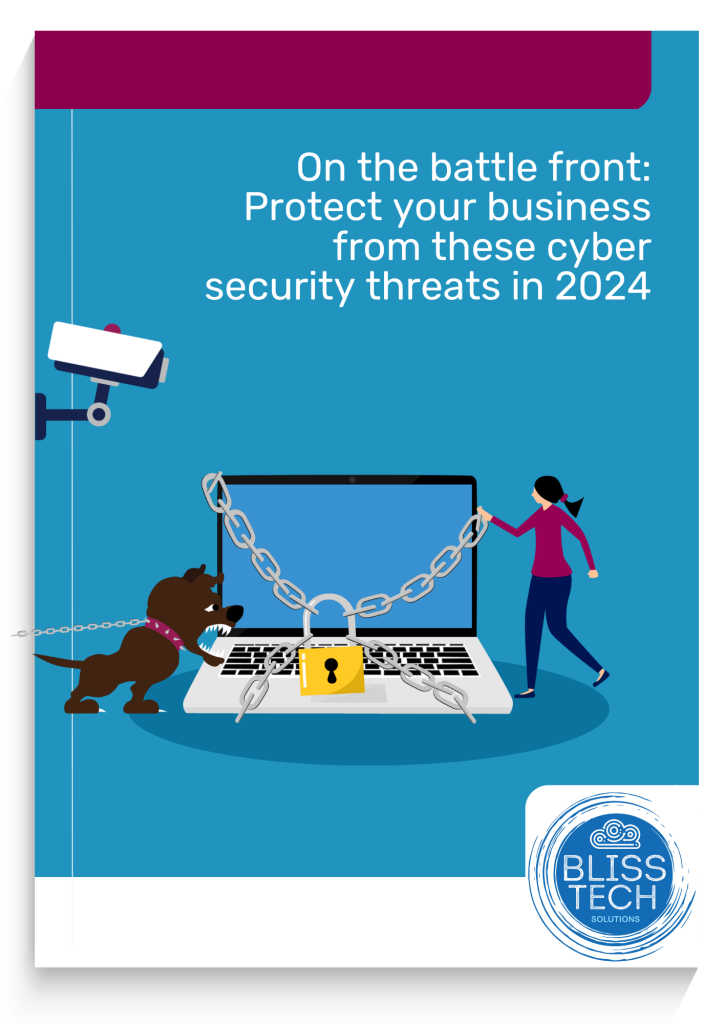
An image of the educational guide - click to download


More Content

Tech Tip: How to use Windows Clipboard History

Welcome to a new Tuesday tech tip video where I will show you a really cool Windows feature called Clipboard History. Do you ever find yourself copying and pasting the same text or images over and over again? If so, you're not alone. But there's a better way! Windows...
New phishing scam is smarter than ever… here’s how to protect your business

New Microsoft 365 phishing scam is smarter than ever… here’s how to protect your business

Microsoft is warning business owners that trusted cloud storage services are being hijacked to trick you into handing over your data. Here we tell you what you need to know.

How to use footnotes and endnotes in Word

Tech Tip: How to use footnotes and endnotes in Word

This Tech Tip is another tip for Microsoft Word. If you use Word to write documentation, contracts or any other type of detailed document, then this tip is for you. Usually, when you write such a document, you may need to expand on certain sentences without making the...
How to create secure passwords

How to create secure passwords

Weak passwords are one of the biggest security risks to your business.
Why?
Because cyber criminals are getting smarter than ever before. If they manage to crack just one password, they could gain access to your sensitive business data, financial information, or even gain control of your entire system.
Cyber criminals use automated tools to guess passwords, allowing them to try out millions of combinations in seconds. So, if you’re using something like “Password123” or “CompanyName2025”, you’re practically handing them the keys to your business.
A compromised password can lead to big issues, such as:
• Data breaches
• Financial losses
• Identity theft
• Reputation damage
But how do you create strong passwords without driving yourself (and your team) mad?
Think of your password like a secret recipe, where only you should know the ingredients. It should:
• Be at least 14 characters long (the longer, the better)
• Include a mix of uppercase and lowercase letters
• Contain a few numbers and symbols (like @, $, %, or &)
• Not contain any common words or easily guessable information (like birthdays, names, or the word “password”)
Instead of using a single word, you could try a passphrase – a short, random sentence that only you would understand. For example, instead of “Sailing2025”, try something like “Coffee&CloudsAreGreat9!”. This is much harder to crack, yet still easy to remember.
You should also steer clear of these common mistakes:
• Using personal info (your name, birthday, business name, etc.)
• Reusing the same passwords across multiple accounts
• Using simple sequences (“123456” or “abcdef”)
• Storing passwords in an easily accessible place (like a sticky note on your desk)
If remembering unique passwords for every account sounds impossible, there is another option: Password managers. These generate strong passwords, store them securely and autofill them for you.
With a password manager, you only need to remember one strong master password for the manager app itself. The rest are encrypted and stored safely, reducing the risk of data breaches.
Even the strongest password isn’t foolproof, which is why multi-factor authentication (MFA) is also important. MFA requires a second form of verification, like a one-time code sent to your phone or generated from an authentication app.
If you have employees accessing your business systems, it’s a good idea to have a password policy in place to explain your rules and why they’re important. This should include:
• Unique passwords for each system and account
• Regular security training on password best practices
• Business-wide use of MFA for critical systems
• Scanning for compromised passwords regularly
By making password security a priority, you can reduce the chances of a cyber attack creating a nightmare for your business.
And if you need help making your business more secure, get in touch.

Tech Tip: How to use Copilot AI to Create Presentions

Welcome to a new Tuesday tech tip video. In it, I'll show you how to leverage the power of Microsoft 365 Copilot AI and PowerPoint to streamline your presentation creation process. Whether you're a seasoned professional or new to creating presentations, this video...

3 things you should do now to protect your business email

It's a fact, most cyber attacks start with an email.  In fact, a frightening 91% of attacks begin with someone clicking on something they shouldn't in an email they received. Here are three things you can do now to protect your business and make it harder for...

Point-to-point WiFi – How to extend your network across buildings without cables

No wires?  No problem!  Point-to-point Wireless Revolutionises Connectivity for Every Business In today's fast-paced digital world, having a reliable and extensive network is crucial for the success of any business. However, the physical limitations of laying down...

Can your business go green by switching to the cloud?

Cloud computing has quickly become a popular option for businesses that want to streamline their operations, reduce costs, and become more flexible. But are you swayed by the idea that cloud services are automatically better for the environment? Could the need to do your bit ‘cloud’ your decision-making? Sorry. Bad pun. It’s true that cloud services have environmental benefits compared …
Read More

Security alert: Does your business have old logins for ex-staff?

Security Review: Does your business have old logins for ex-staff?

What’s easy to overlook but could leave your business open to cyber attacks? Unused logins. Yep, something as simple as failing to delete an old account could have serious costs for your business…

Never mind “can’t teach an old dog new tricks”…

They say you can’t teach an old dog new tricks, but what happens when it’s a young pup that needs training? New research on people under 40 has revealed a scary attitude towards cyber security. We tell you more here.

Share This
Contact
Love Lane
Cleobury Mortimer
Shropshire DY14 8PE

01299 382 321
[email protected]
Copyright © Blisstech Solution Ltd
Registered No: 08125391 VAT No : 307 5490 05