Should you ban AI on Fridays? • Blisstech Solutions

It sounds like a joke.

“Maybe we should just ban AI on Friday afternoons.”

But the more you think about it, the more it makes sense.

By Friday, most people are running on fumes. The week’s been busy, there are things to finish before the weekend, and attention to detail isn’t always at its sharpest.

Now add AI into that mix.

Tools like Microsoft Copilot can draft emails, summarise documents, and generate responses in seconds.

That’s incredibly useful.

But it also introduces a subtle risk.

The output looks polished and ready to send.

When you’re tired, it’s very easy to trust it without giving it a second look.

That’s where problems creep in.

The kind of small issues that slip through when no one’s paying close attention.

An email that sounds slightly off or a message that comes across the wrong way. Something that’s technically correct, but not appropriate for the situation.

The wrong tone can be harder to spot when you’re rushing to finish the week.

There’s also something else going on here that doesn’t get talked about enough.

The more we rely on AI to think for us, the less we challenge what it produces.

That can dull critical thinking.

Instead of asking, “Is this right?” the default becomes, “That looks fine.”

Across a team, over weeks and months, it can change how decisions are made.

Some people are starting to call this “AI fatigue”.

Constantly interacting with AI tools, checking them, and relying on them can feel mentally draining.

So the idea of “no AI on Fridays” perhaps isn’t so out there.

At the end of the week, people are more likely to skip steps, less likely to question things, and more likely to hit send.

And AI makes that easier.

You don’t need to switch AI off, but you do need to build in habits around it.

Encourage your team to review anything generated by AI before it goes out externally. Especially emails, customer responses, or anything that represents your business.

Make it normal to sense-check the tone as well as the content.

If you’re using tools like Microsoft Copilot across the business, it’s also worth setting some simple guidelines. Clear expectations about when AI should be used, and how its output should be handled.

AI is a great assistant, but it still needs a human in the loop.

Especially at 4:30pm on a Friday.

If you’d like help creating some sensible rules around how AI is used in your business, get in touch.
More Content

Could avatars make your Teams meetings more fun?

Do you inwardly (or outwardly) groan at the thought of yet another video call? They’re now a normal part of our working lives, but it doesn’t make them any more exciting. Good news: Microsoft is introducing Metaverse-style avatars, called Mesh avatars, to Teams. You’ll be able to design your own avatar, personalizing its appearance, accessories, and even choosing its reaction …

Half of staff have too much access to data

Half of staff have too much access to data

Do you know who in your business can access your critical data right now?
The risks that come along with that can be bigger than you think. Our latest tech update explains why this matters and what smart businesses are doing about it…

Unlock your potential with Copilot

Unlock your potential with Copilot

Tried Microsoft Copilot yet? It’s a smart tool baked into the applications you use every day, that could save you time. Here we tell you some cool ways it can help.

Bot malware is a growing security threat

Bot malware is a worrying new security risk. Malware bots steal whole user profiles – that’s a complete snapshot of your ID and settings.

PowerPoint drops its “Reuse Slides” feature

PowerPoint drops its “Reuse Slides” feature

Have you noticed a time saving feature is missing from PowerPoint?
It’s not a mistake. But it might be a productivity killer.
Luckily, there are a couple of workarounds. Your people need to know about these…

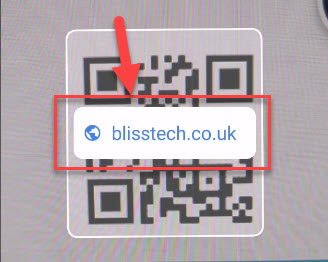
How to scan a QR code with your phone

As more venues open up for face to face meetings, some are introducing their own track and trace systems using a QR code that you need to scan with your mobile phone. But how? This video explains how to scan a QR code with your phone so you are not trying to figure it...
A woman looking at her phone while working from home

Homeworking is bad for IT security

A new homeworking security report from CyberArk has surveyed 3000 remote office workers and IT professionals. It finds that increased homeworking, resulting from the 2020 pandemic, could be bad news for a company’s IT security posture. It has uncovered several...

Is working from home really good for your business?

Working from home. Or remote working, as it’s now called. It’s the big thing in business, isn’t it? And some people love it. They’re happier working where they want, and when they want. And that makes them more productive and less likely to leave. But have you stopped...
A drawing of two MSPs passing a baton to signify changing IT Service Provider

How to Change Your IT Service Provider: A Guide

Research from Analysis Mason shows that in 2024, nearly a quarter of small to medium-sized businesses changed their IT managed services provider (MSP). So, if you have found this article because you are concerned about the pitfalls of changing MSPs, don't worry; this...
Laptop and stethoscope

How Much Should You Pay for IT Managed Services in the UK?

This article has been updated to reflect the market in 2026. If you are looking for managed IT services in the UK, you should understand that there is no "one-size-fits-all" solution. There are many managed service providers out there, and they offer a huge range of...
Share This
Contact
Love Lane
Cleobury Mortimer
Shropshire DY14 8PE

01299 382 321
[email protected]
Copyright © Blisstech Solution Ltd
Registered No: 08125391 VAT No : 307 5490 05