Your business’s passwords are still too weak • Blisstech Solutions

Be honest. Do you still have at least one password that looks like “12345” or “password123”?

If so, you’re not alone.

But that doesn’t mean it’s OK.

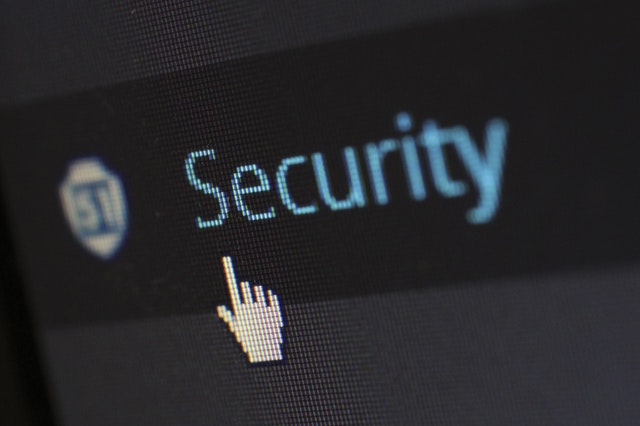
Despite years of warnings from IT experts (people like me), weak passwords are still everywhere. And that’s a real problem. Because they’re one of the easiest ways for cyber criminals to break into your business systems.

You’d be amazed how many companies are still using passwords that can be cracked in less than a second.

Recent research found that the most common business password is still “123456”.

Right behind it? “123456789”, “password”, and even the ever popular “qwerty123”.

These aren’t just lazy choices. They’re open doors for hackers.

What’s worse, it’s not just huge enterprises that are getting this wrong. Small and medium sized businesses are guilty too. And they’re often hit harder when things go wrong, because they don’t always have the same resources to recover.

A single stolen password can let an attacker access your email, files, financial systems, or even customer data.

The damage? It can be serious. Both financially and to your reputation.

You might think, “But we don’t have anything worth stealing.” Trust me, you do. Even if you’re a team of five, your accounts, client data, and communications are all valuable targets. Cyber criminals don’t discriminate. They go for easy wins. And weak passwords are the easiest win there is.

Now here’s the kicker: Even if you’re not using “123456”, that doesn’t necessarily mean your passwords are secure. The research also found people using their own email address or their name as a password (eye roll). Some even used phrases like “iloveyou”.

It’s all very sweet… until a cyber criminal uses it to get into your systems.

So… what can you do to protect your business?

Start by making sure everyone uses strong, unique randomly generated passwords. That means longer phrases with a mix of letters, numbers, and symbols. Nothing predictable.

Nobody wants to remember 30 complex passwords. That’s where a password manager comes in. It can create super strong passwords for every login and store them securely, so your team doesn’t have to rely on memory (or sticky notes).

Better still, consider enabling two-factor authentication. That’s the thing where you get a code on your phone or app when logging in. Even if someone does steal a password, they can’t get in without that second code. It’s one of the easiest and most effective ways to add a layer of protection.

And if you want to future-proof your security, look at passkeys. These are a new way to log in without traditional passwords at all. Using biometrics like fingerprint or facial recognition, or secure device-based authentication. It’s safer and simpler, and it’s quickly becoming the new standard.

At the end of the day, strong passwords—or better, password alternatives—are your first line of defence. Don’t wait for a security scare to take them seriously. If your team is still using “abc123”, now’s the time for a change.

Need a hand reviewing your password policy or setting up a secure login system for your team? My team and I would love to help. Get in touch.
More Content

Tech Tip: How to use Windows Clipboard History

Welcome to a new Tuesday tech tip video where I will show you a really cool Windows feature called Clipboard History. Do you ever find yourself copying and pasting the same text or images over and over again? If so, you're not alone. But there's a better way! Windows...

Cut the Jargon! The top 3 things you should discuss with your IT partner

IT support involves technical tasks, and the language used in this field can be quite technical at times. Therefore, we have created a plain language guide that focuses on the three key areas you should discuss with your technology partner. Contact us if you want to...

Learn how to talk tech with our Jargon Buster

Do you find IT terminology difficult to comprehend? To ensure effective communication with our clients, we strive to avoid using technical jargon. However, having a basic understanding of some IT terminologies may prove advantageous in seeking IT assistance in the...

Getting Started With Microsoft Teams

Microsoft Teams is a powerful collaboration tool and is included with all business versions of Microsoft 365.  If you have Microsoft 365, and are not using Teams, or you don't yet have Microsoft 365 and want to know what Teams can do, this video is a quick...

Why is my computer so slow!?

“Why is my computer so slow?” is a question heard time and time again and is one of the most common computer complaints. There are a variety of reasons that your computer can appear to be running slowly. I say ‘appear’ as it may not actually be your computer that is causing the problem. Read on to find out possible reasons for this problem.

90% of cyber attacks start with a simple email. Why?

All it takes is one email... Did you know it can just take one email to bring your entire business to its knees? Why? Because a surprising 90% of cyber attacks begin with an email. And if you and your whole team are reliant on email every day, your chances of falling...

Tech Tip: How to share files securely in Teams

Welcome to a new Tuesday tech tip video where we will be exploring how to share files securely with people outside of your organisation using Microsoft 365 and Teams. Microsoft Teams is a powerful tool that allows for seamless collaboration and communication within an...
How to create email signatures in Outlook title

Tech Tip: How to create email signatures in Outlook

This Tech Tip will show you how to create and manage email signatures in Outlook. One of the things I get asked about most by new users of Microsoft Office is how to create a professional email signature. Your email signature is not only a useful way to provide your...
Time saver: Auto-launch your favourite Windows 11 apps

Time saver: Autostart your favourite Windows 11 apps

Imagine starting your PC and your favourite apps open automatically. It’s a small change that could save you a lot of time. Here’s how to make it happen…

LinkedIn takes action to tackle fake accounts

LinkedIn is introducing new verification features over the coming months to help tackle fake accounts. The business-focused social platform is a fantastic place to connect with like-minded businesspeople, and to find new employees, jobs and opportunities. But thanks to this popularity, we’re seeing an increase in fake profiles, created by scammers for more sinister purposes. Bot-like accounts have been cropping …
Read More

Share This
Contact
Love Lane
Cleobury Mortimer
Shropshire DY14 8PE

01299 382 321
[email protected]
Copyright © Blisstech Solution Ltd
Registered No: 08125391 VAT No : 307 5490 05