The question that comes up more than any other
Most business owners who are thinking about outsourced IT support have a fairly similar experience. They know they probably need something. They have seen the phrase “managed IT support” come up. But when they try to find out exactly what it means, they end up with either a wall of technical jargon or a very polished sales pitch that still does not quite explain what would actually change from Monday morning.
This article is here to answer that question properly. No jargon. No sales pitch. Just a clear explanation of what a managed IT support company does, how it differs from what you might already have, and whether it might be the right fit for a business like yours.
What does “managed” actually mean?
The word “managed” is the key distinction. Traditional IT support, sometimes called break-fix support, works like this: something goes wrong, you call someone, they fix it, you pay for it, and everyone moves on. It is reactive by nature, and the relationship between you and your IT provider only really exists when something has already gone wrong.
Managed IT support is different. Instead of waiting for problems to arrive, a managed IT provider takes ongoing responsibility for your IT environment. They monitor your systems continuously, keep your software and security up to date, and deal with many issues before you ever know they existed. The relationship is ongoing rather than transactional, and the service is typically provided for a fixed monthly fee.
Think of it like the difference between calling a plumber when a pipe has already burst, and having someone quietly keeping an eye on your plumbing all year round, spotting the signs of trouble early and fixing the small things before they become floods.
What does a managed IT service actually include?
The exact scope varies between providers and packages, but a well-structured managed IT service typically covers several core areas.
Helpdesk support
When your team has a problem, whether that is a software error, a login issue, an email problem, or something that just is not behaving as it should, they have a direct line to a team who can help. Good helpdesk support means fast response times and problems resolved without your staff having to figure things out for themselves or wait until someone becomes available.
24/7 monitoring
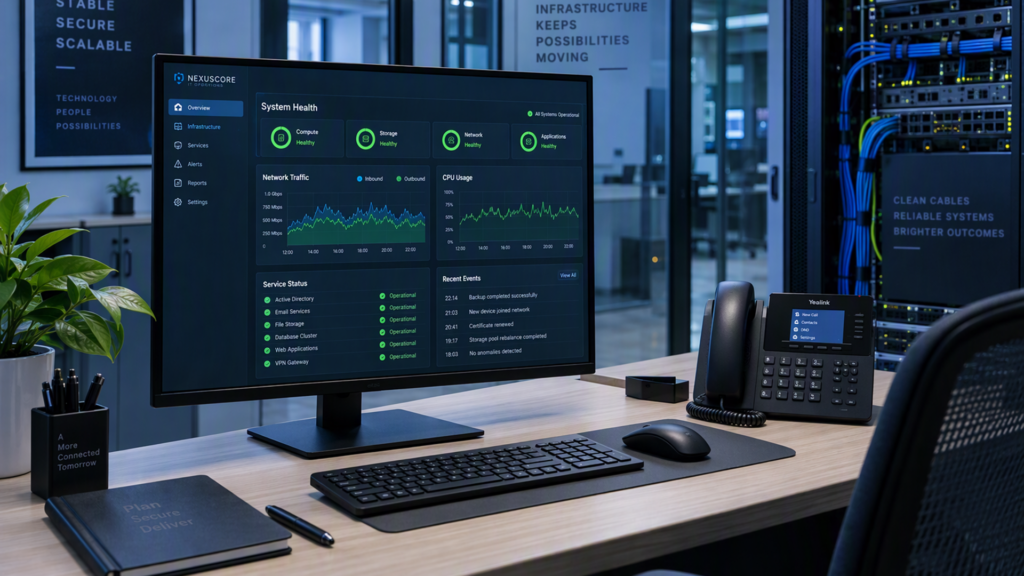
Your systems are watched around the clock. If a server is running unusually hot, if a hard drive is showing early signs of failure, if an antivirus definition has not updated correctly, or if there is unusual network activity that might indicate a security problem, it is flagged and addressed. Most of the time, your team will never know anything happened.
Security management
Keeping your business secure is not a one-time job. It requires ongoing attention: software patches applied promptly, antivirus kept current, access controls reviewed, and systems configured correctly. A managed IT provider handles all of this as part of the ongoing service, reducing the risk of vulnerabilities being left open.
Software updates and patch management
Security updates and software patches need to be applied regularly, and this is one of those tasks that is easy to overlook when you are busy, but essential for keeping your systems protected. A managed provider takes this entirely off your plate.
Backup management
Backups are only useful if they work when you need them. A managed IT service includes regular backup monitoring to make sure your data is being copied correctly and can actually be recovered in the event of a problem.
Strategic IT advice
A good managed IT partner does not just fix things and maintain systems. They also have a clear view of where your technology is heading, what hardware is ageing and will need replacing, and how changes in your business might affect your IT requirements. Regular reviews help you plan and budget sensibly rather than being caught out by surprises.
How is it different from what I might already have?
Some small businesses have an informal arrangement with a local IT person who comes in when things go wrong. Others rely on a member of staff who happens to be more comfortable with technology than everyone else. Some have no IT support at all, and simply deal with problems as they arise.
All of these approaches have their limitations. The informal arrangement depends on the availability of one person. The tech-comfortable team member has a day job that is not IT, and their patience has limits. The no-support approach works until it does not, and when it does not, it really does not.
A managed IT service provides consistent, professional support across all of these areas, without depending on any single individual, and without leaving your business exposed when something goes wrong at an inconvenient time.
Is managed IT support right for your business?
Managed IT support is generally a good fit for businesses with somewhere between five and fifty employees that rely on technology to operate but do not have a dedicated internal IT team. If your team needs their technology to work reliably, if you hold client data that must be kept secure, or if downtime genuinely costs your business money, then having a managed IT partner makes sound practical sense.
It is also worth considering if you have found yourself in any of the following situations: you are not sure whether your systems are backed up correctly; you are running software that has not been updated in some time; you have had a security scare that made you realise you are not as protected as you thought; or you have simply reached the point where IT is taking up more of your time and attention than it should.
What does getting started look like?
At Blisstech, the process begins with a straightforward conversation about your business and your current IT situation. From there, we carry out a scoping review to understand your systems and requirements properly, and design a package of support that fits. There are no assumptions, no one-size-fits-all solutions, and no obligation until you are happy with what is being proposed.
Once you are on board, we handle the transition from whatever you currently have in place, including working with any existing IT providers where needed, so the changeover is as smooth as possible for your team.
If you are curious about whether managed IT support is the right step for your business, we are always happy to have an honest conversation. Call us on 01299 382 321, or contact us to book a call at a time that suits you.