Business Email Compromise (BEC) attacks are rising • Blisstech Solutions

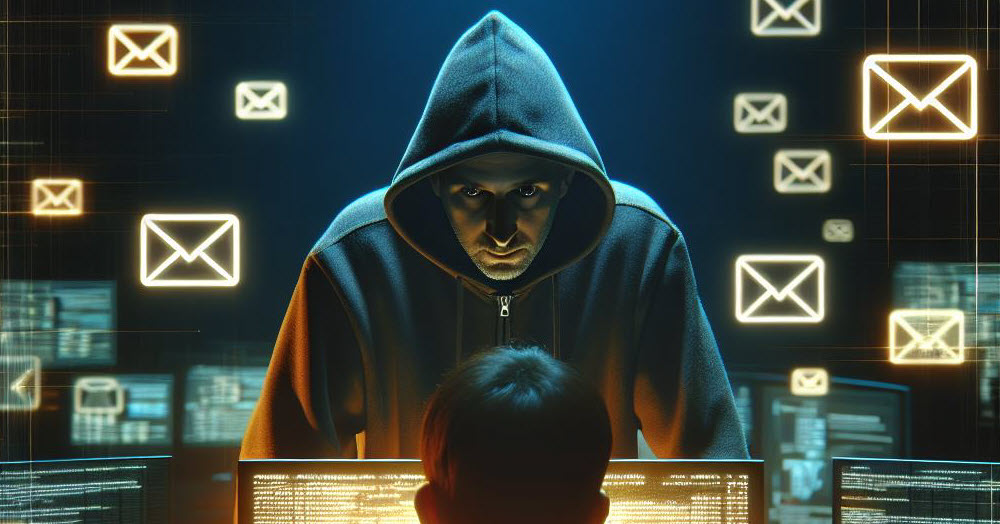
BEC attacks illustrated. Image of a hacker standing behind a computer looking menacing

Business Email Compromise (BEC) has emerged as a significant threat to businesses worldwide in recent years. As of March 2025, there has been a staggering 30% increase in BEC attacks. In late February 2025, Microsoft Defender identified nearly 2 million phishing emails related to common BEC themes, averaging over 140,000 daily. The FBI reports BEC is among the most costly cyber threats, causing global losses over $50 billion.

What is BEC?

BEC is a sophisticated scam where cybercriminals use email to trick individuals into sending money or sharing confidential information. These emails often ‘appear’ to come from trusted sources, like company executives or known vendors, making the request appear legitimate.

Cybercriminals use different techniques to conduct BEC attacks. Typical methods involve sending false invoices, spoofing the email addresses of executives and managers, and hacking email accounts to request payments to fraudulent accounts. These techniques depend significantly on social engineering, making them challenging to identify.

The main goal of BEC attacks is financial gain. Cybercriminals seek to steal money or sensitive information for further scams. Remote working has increased BEC attacks by providing more opportunities to exploit vulnerabilities.

Protecting Your Business

Businesses can take several steps to protect themselves from BEC attacks. It is crucial to educate employees about cyber threats and how to identify suspicious emails. Strong security measures, such as multi-factor authentication and regular security training, can also help mitigate the risk. Additionally, businesses should monitor their networks for signs of compromise and have a response plan in place to deal with potential attacks.

If you would like to know more about protecting your business from the ever-growing threat of cyber attacks, please get in touch.
 

More Content

Tech Tip: What is Autosave and Version History?

This is the latest Tuesday Two Minute Tech-tip that explains the AutoSave and Version History features of Office 365. When we migrate businesses to Microsoft 365 and they start working with OneDrive and SharePoint, I often hear the question, "How do I save my files...

Don’t Overlook Home Worker Security

Protecting Home Workers and Your Business In the current work-from-home landscape, business security strategies often overlook one crucial aspect: home office security. This oversight creates vulnerabilities that cybercriminals are actively exploiting. With more...
Managed IT Services consultant connects a network cable into switch

What are the benefits of outsourcing IT support?

Have you ever started a DIY task only to wish you had just called in an expert?  Your IT support should be no different. Many business owners think that they can handle their IT systems themselves.  However, unless they have the experience and finger on the pulse of...

A little trust can go a long way

Countless employers still don’t trust their people to do their best work unless they’re physically in the office.

Tech Tip: How to create a voting poll using Outlook

Welcome to a new Tuesday tech tip video where we will be exploring how to create a voting poll using Outlook and Microsoft Forms. Sometimes, when we need to get people's opinions on something, it can be a bit like herding cats! Maybe we need to get a consensus of...
How to create secure passwords

How to create secure passwords

Weak passwords are one of the biggest security risks to your business.
Why?
Because cyber criminals are getting smarter than ever before. If they manage to crack just one password, they could gain access to your sensitive business data, financial information, or even gain control of your entire system.
Cyber criminals use automated tools to guess passwords, allowing them to try out millions of combinations in seconds. So, if you’re using something like “Password123” or “CompanyName2025”, you’re practically handing them the keys to your business.
A compromised password can lead to big issues, such as:
• Data breaches
• Financial losses
• Identity theft
• Reputation damage
But how do you create strong passwords without driving yourself (and your team) mad?
Think of your password like a secret recipe, where only you should know the ingredients. It should:
• Be at least 14 characters long (the longer, the better)
• Include a mix of uppercase and lowercase letters
• Contain a few numbers and symbols (like @, $, %, or &)
• Not contain any common words or easily guessable information (like birthdays, names, or the word “password”)
Instead of using a single word, you could try a passphrase – a short, random sentence that only you would understand. For example, instead of “Sailing2025”, try something like “Coffee&CloudsAreGreat9!”. This is much harder to crack, yet still easy to remember.
You should also steer clear of these common mistakes:
• Using personal info (your name, birthday, business name, etc.)
• Reusing the same passwords across multiple accounts
• Using simple sequences (“123456” or “abcdef”)
• Storing passwords in an easily accessible place (like a sticky note on your desk)
If remembering unique passwords for every account sounds impossible, there is another option: Password managers. These generate strong passwords, store them securely and autofill them for you.
With a password manager, you only need to remember one strong master password for the manager app itself. The rest are encrypted and stored safely, reducing the risk of data breaches.
Even the strongest password isn’t foolproof, which is why multi-factor authentication (MFA) is also important. MFA requires a second form of verification, like a one-time code sent to your phone or generated from an authentication app.
If you have employees accessing your business systems, it’s a good idea to have a password policy in place to explain your rules and why they’re important. This should include:
• Unique passwords for each system and account
• Regular security training on password best practices
• Business-wide use of MFA for critical systems
• Scanning for compromised passwords regularly
By making password security a priority, you can reduce the chances of a cyber attack creating a nightmare for your business.
And if you need help making your business more secure, get in touch.

Outsourcing always beats DIY

Do you ever feel like you're juggling ten tasks at once to keep your business running? Marketing, sales, finances, IT… the list goes on! And somewhere in that chaos, your dreams for growth get lost. Enter Dave, a fellow entrepreneur who has created the same...
This tiny tweak to Teams will make meetings smoother

This tiny tweak to Teams will make meetings smoother

Sick of saying “next slide please” in your Teams meetings? Microsoft has a small but powerful new feature that will put an end to that. Find out more here…

Professional woman at a laptop

6 ways to make your small business look professional

When you start out in business, one of the hardest things to do is find new clients.  Most customers will not buy from you unless they trust you, and trust usually comes from reputation.  But how do you gain people's trust if you are new and don't have much of a...
FBI issues new ransomware warning

FBI issues new ransomware warning

When you hear a warning from the FBI you know things are serious. And that’s why you should take notice of this latest warning about a ransomware group that could target your business. Here’s how you can stay safe…

Share This
Contact
Love Lane
Cleobury Mortimer
Shropshire DY14 8PE

01299 382 321
[email protected]
Copyright © Blisstech Solution Ltd
Registered No: 08125391 VAT No : 307 5490 05